
Sources, not guesses
Answers come only from stored documents. Setpoints, fail positions and safety ratings are never inferred.
Product
One place where your engineers and operators learn the plant they run, from the plant's own documents, and where you can see what they have learned.
The screens on this page show a demo plant: a made-up solvent recovery unit whose documents were generated for this demonstration. Labels such as "Synthetic" and "Practice only" are how the product marks anything that is not plant-approved.
Assistant
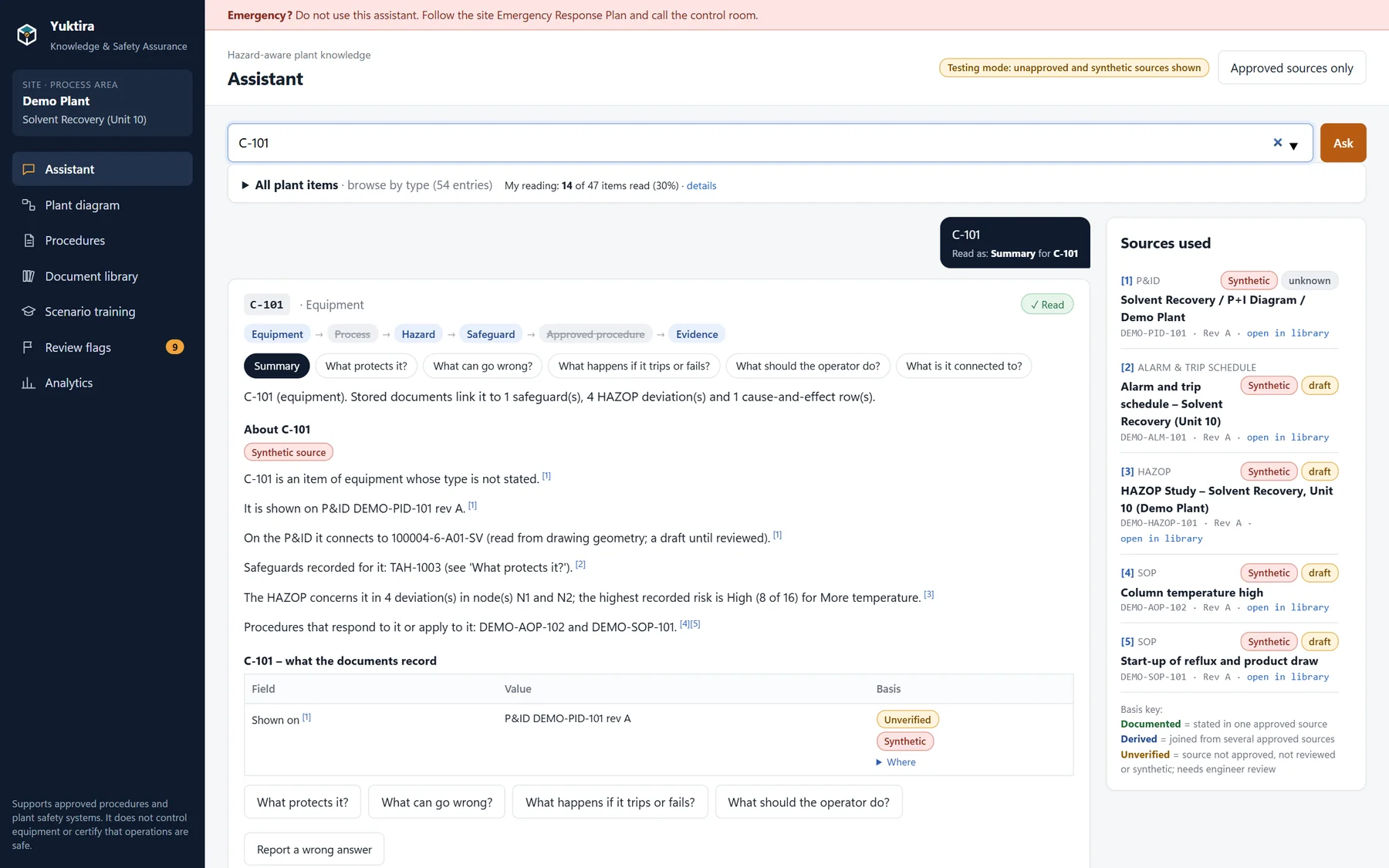
Type a tag or a question. Yuktira Technologies answers from your stored documents only: what the item is, what protects it, what can go wrong, what happens if it trips, what the operator should do and what it is connected to.
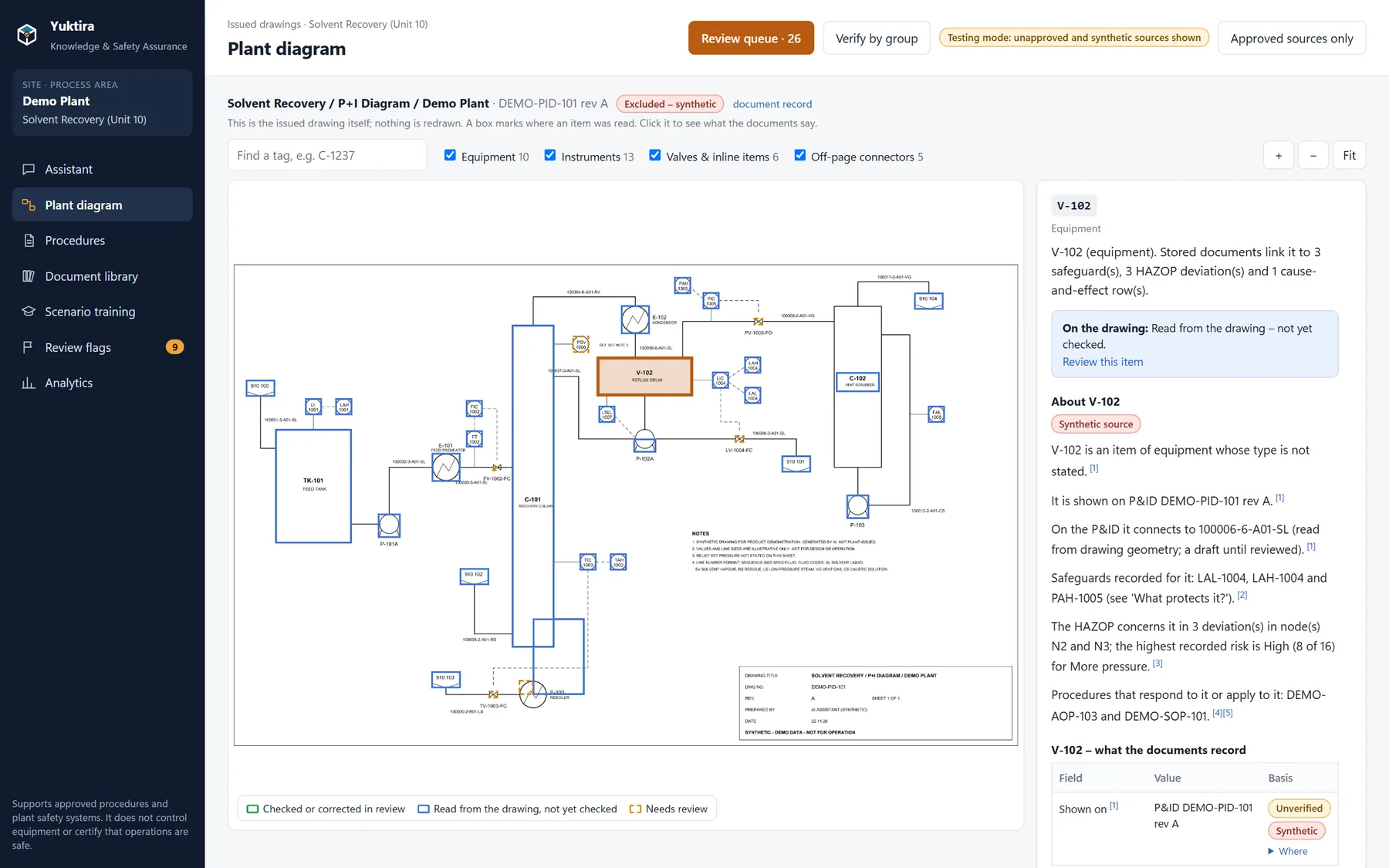
Plant diagram
The plant's own P&ID sheet, not a redrawn copy. Click equipment, an instrument or a valve to see what every document says about it.
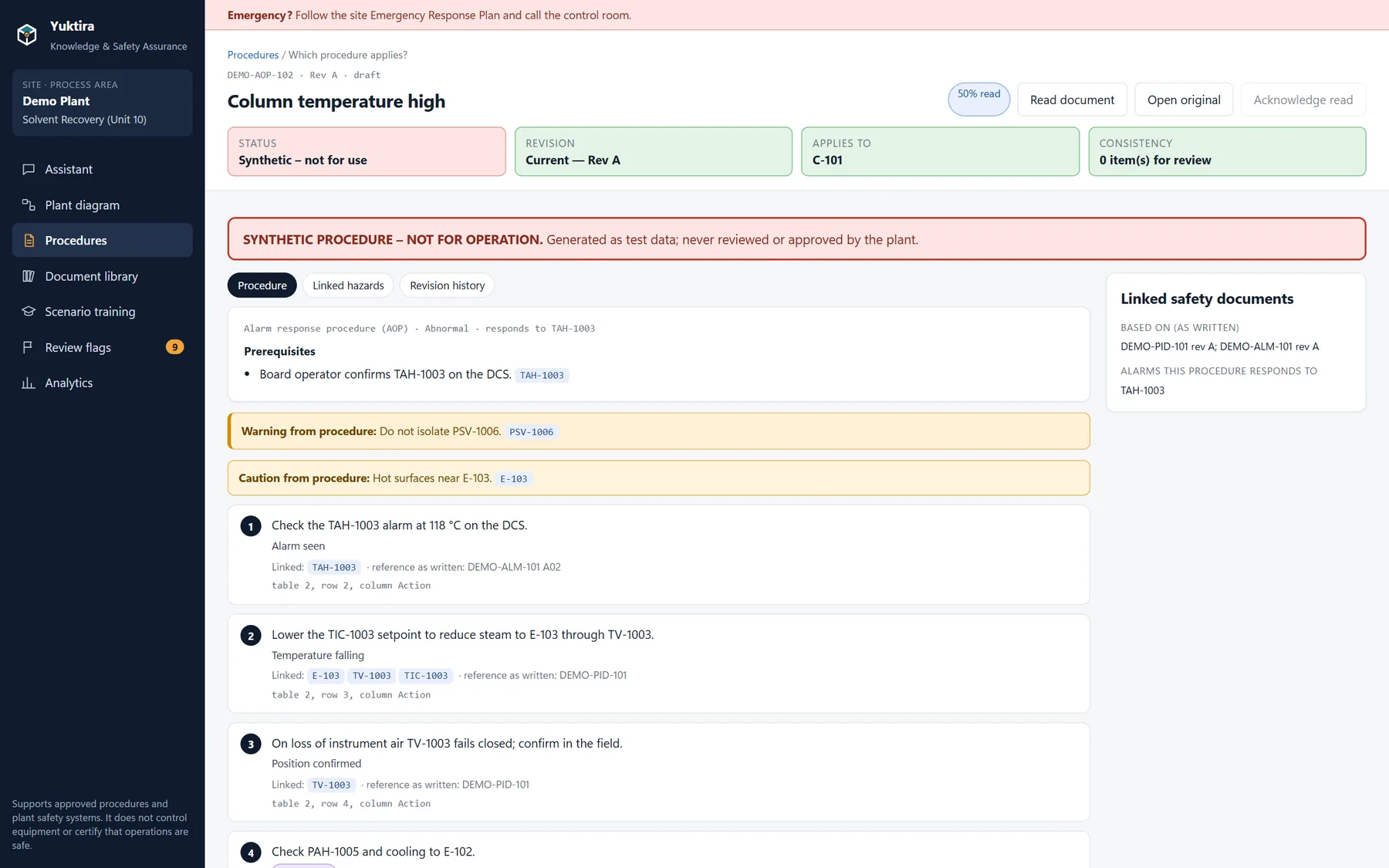
Procedures
Operating and alarm response procedures shown with their warnings, hold points and the alarms they respond to, each step linked to the equipment it touches.
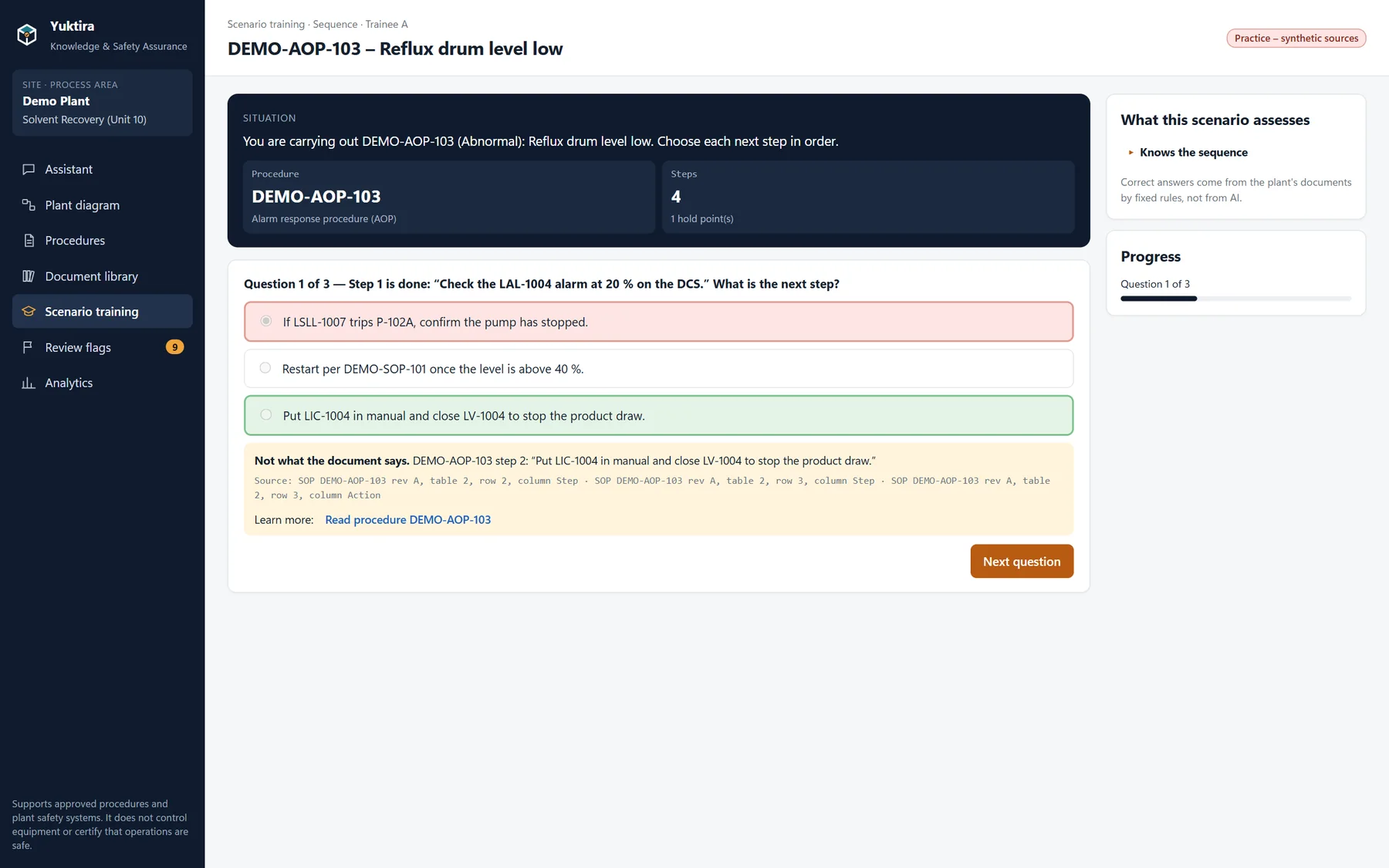
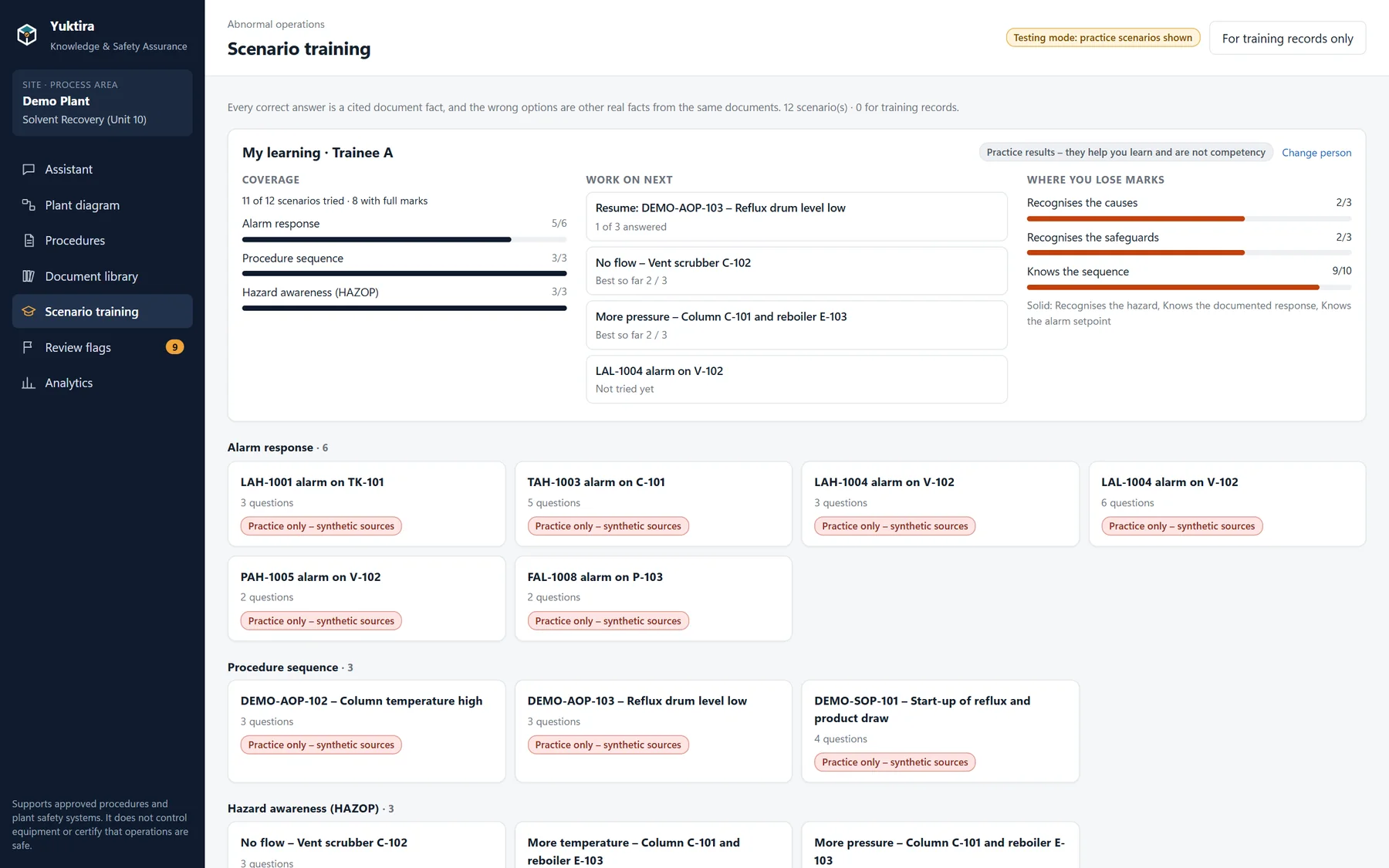
Scenario training
Questions are generated from your alarms, procedures and hazard studies by fixed rules. The correct answer is always a cited document fact, and the wrong options are other real facts from the same documents.
My learning
Each person sees their coverage by module, the scenarios to resume or practise next, and the skills where they lose marks. Every result links back to the item, the drawing or the procedure to study.
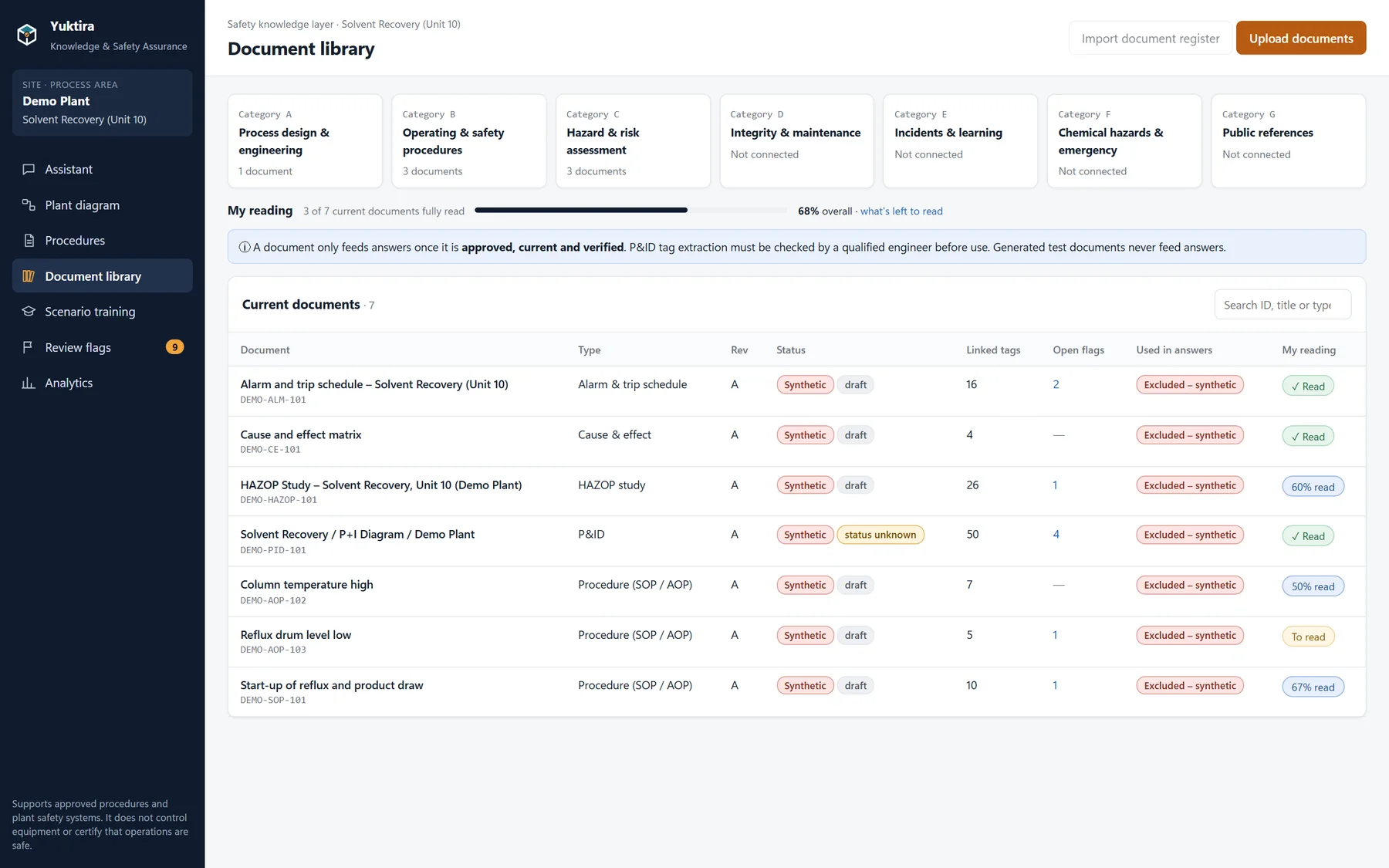
Document library and reading
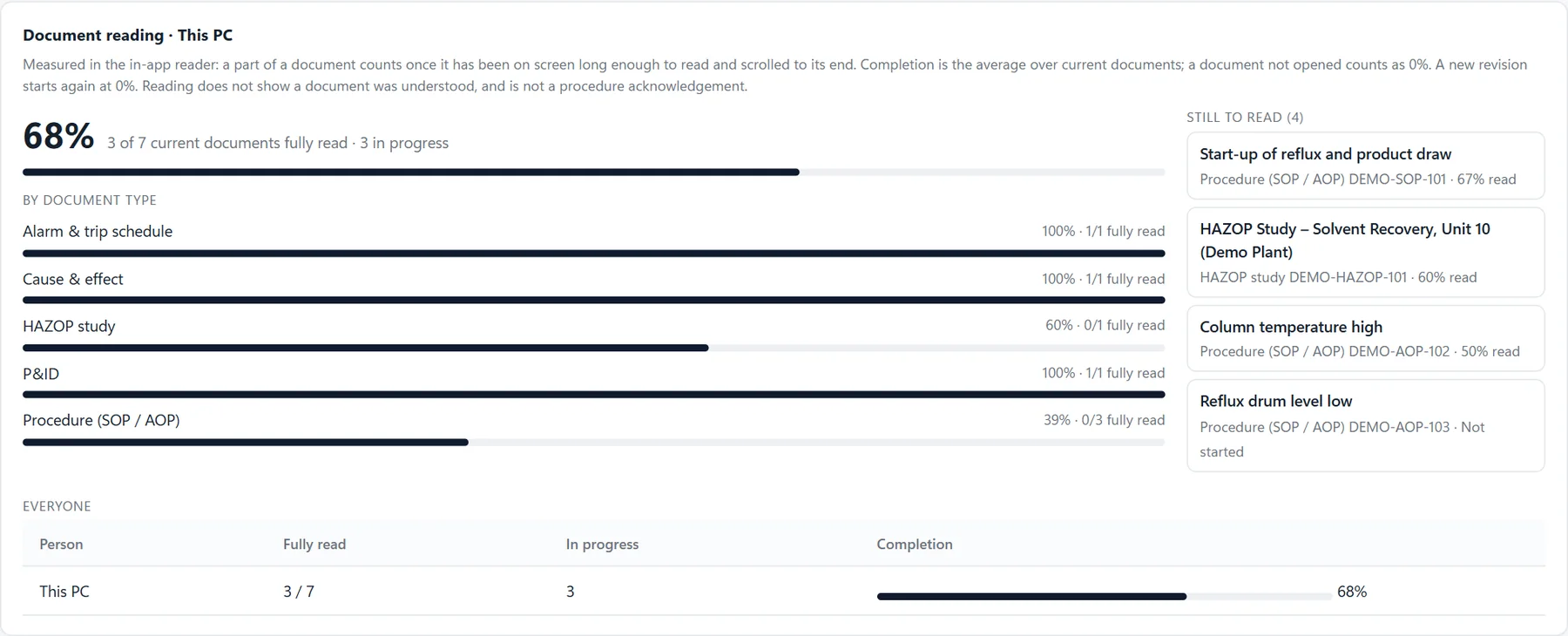
Documents are read inside the product, part by part. A part counts only when it has been on screen long enough to read. Each person and each manager can see what is read, what is in progress and what is still to read.
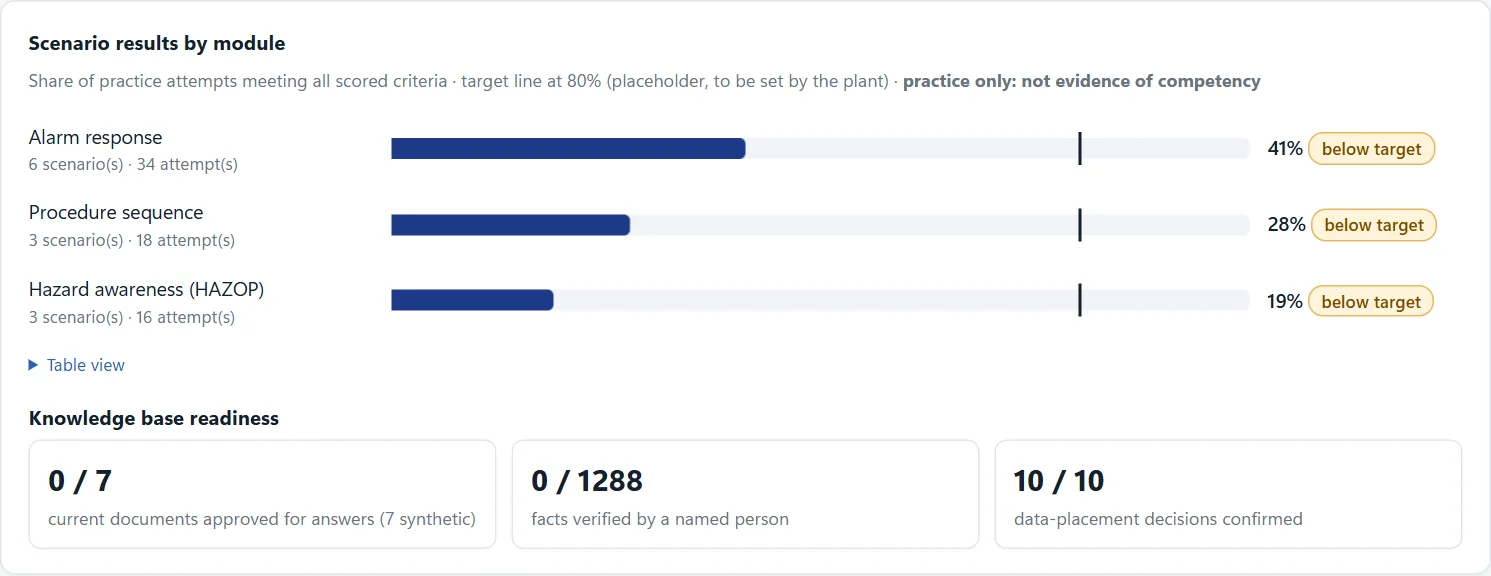
Analytics
Results by module and by skill, reading completion by document type and by person, recurring knowledge gaps and the questions the documents could not answer.
Trust
Answers come only from stored documents. Setpoints, fail positions and safety ratings are never inferred.
Only a named person from the plant can approve a document, verify a fact or approve training. Every decision is recorded.
Sign-in with roles for viewers, reviewers and administrators. Your documents are used only to serve your plant.
Tell us about your plant and your training needs. We will show you what Yuktira Technologies can do with your documents.